Revenue Report
The Report tab opens your revenue report, which shows your full revenue over a specific period.
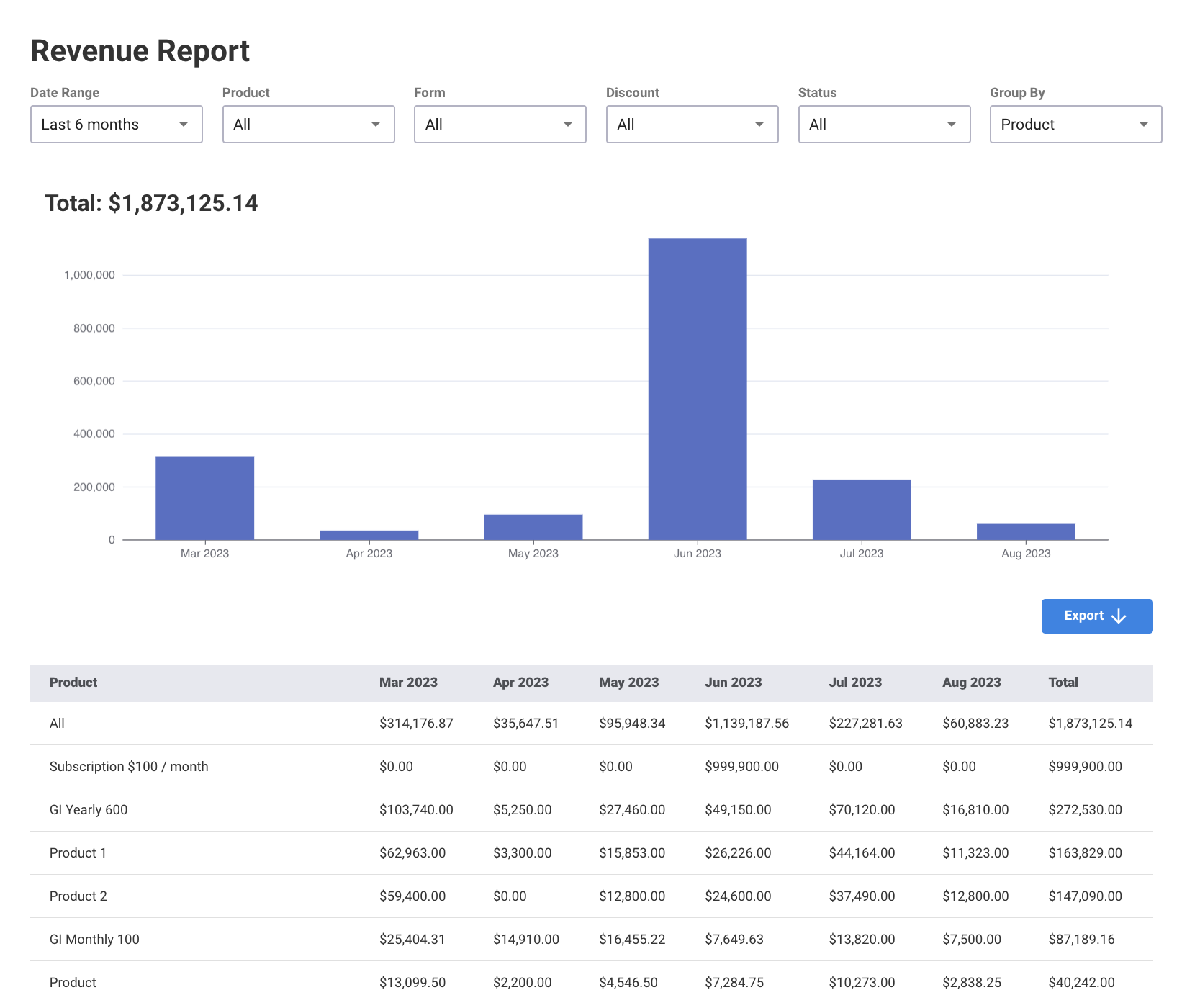
You can filter through date range (last 6 months, this year, last year, and all time), product, form, discount and payment status
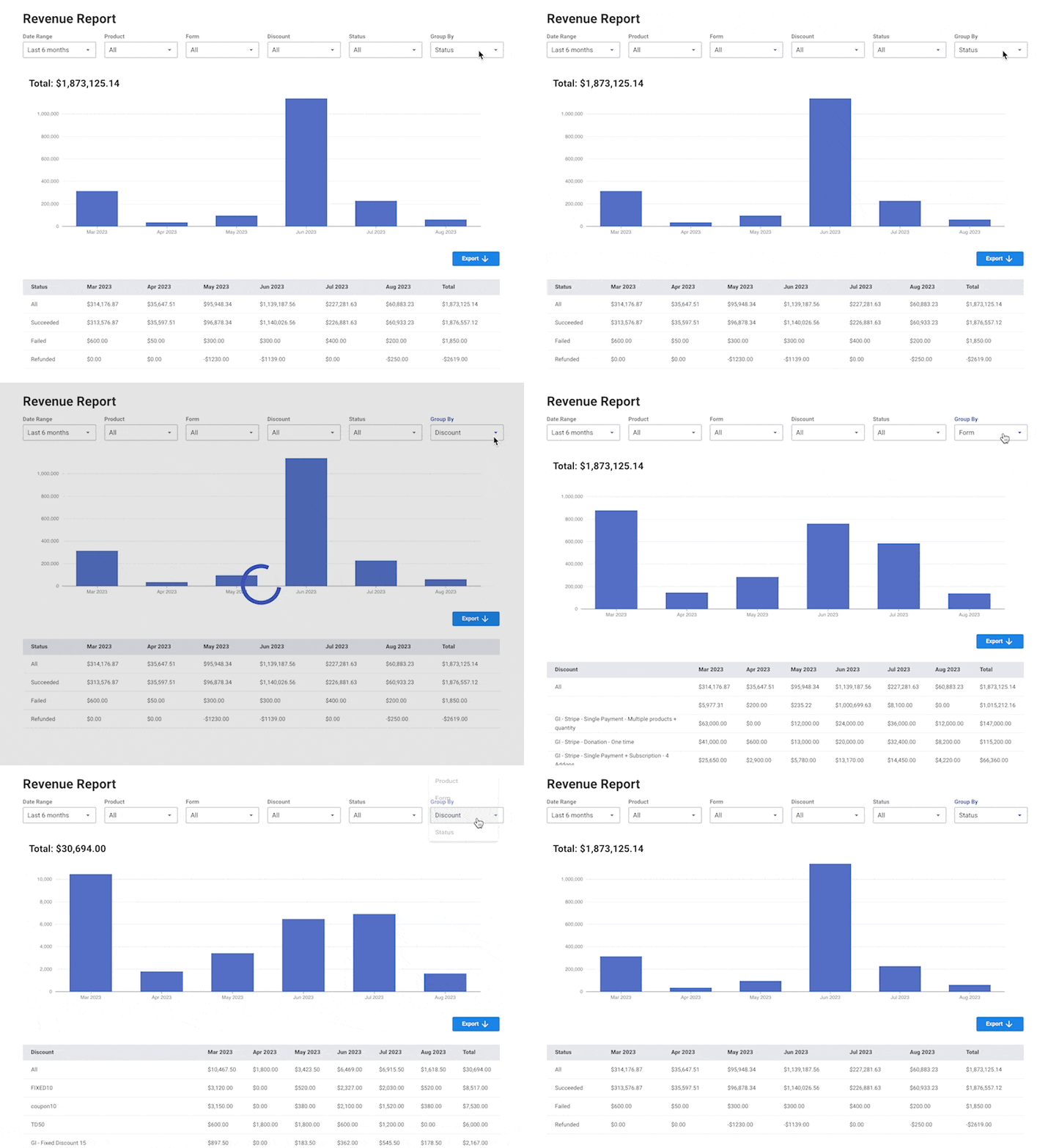
You can also group the results by one of the grouping options (product, form, discount and status)
💡 Export your report into CSV using the Export button