Reporting - Amount by Product
With HubSpot reporting, you can create custom reports to track your sales or revenue, more information on HubSpot custom reporting here.
In this example, we’re going to create a report that shows total sales by product.
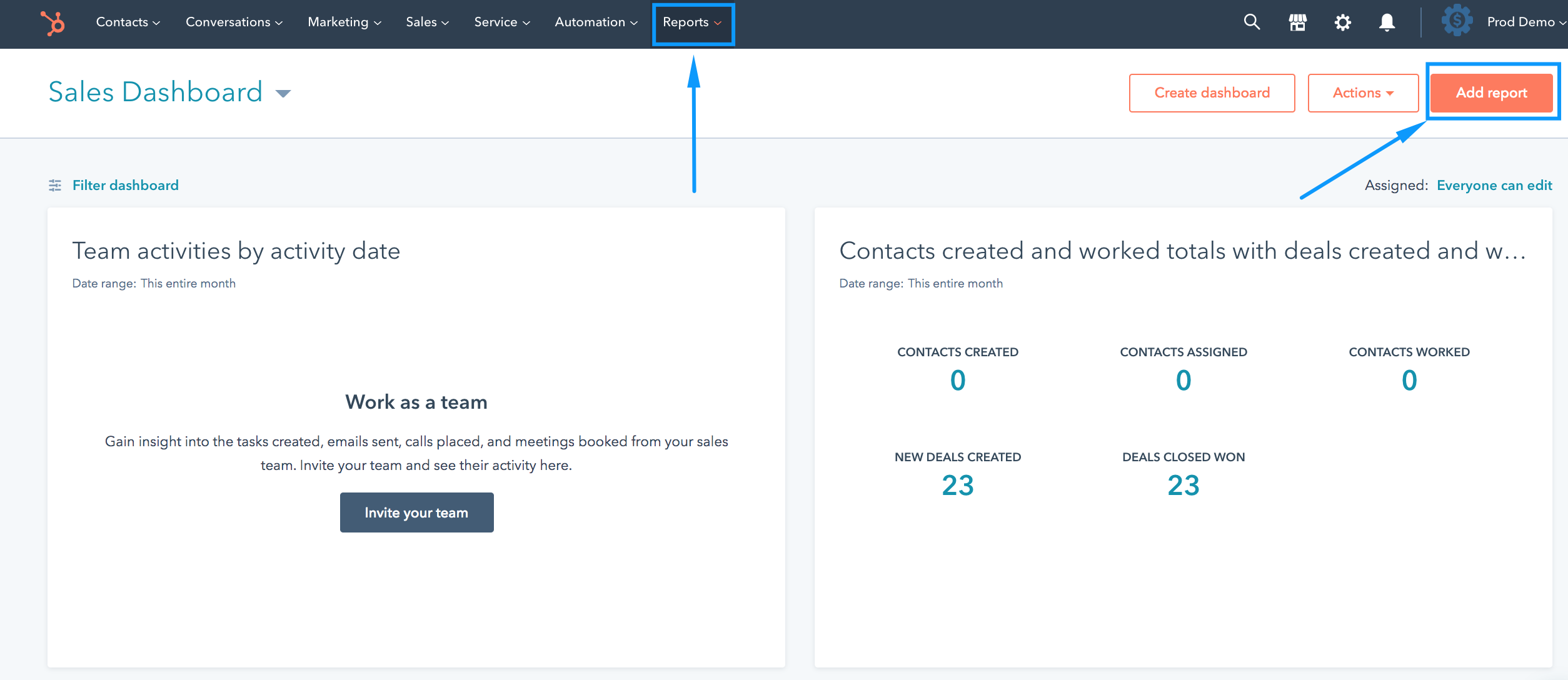
1. From your HubSpot dashboard, click on Reports > Add Report
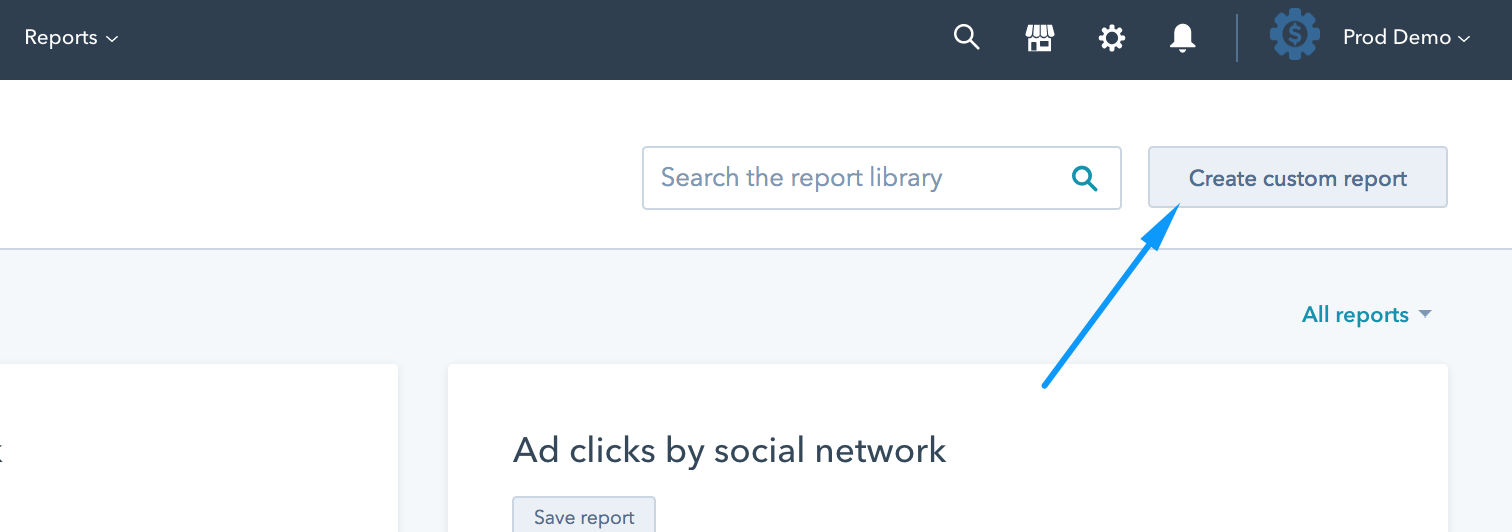
2. Click on Create custom report
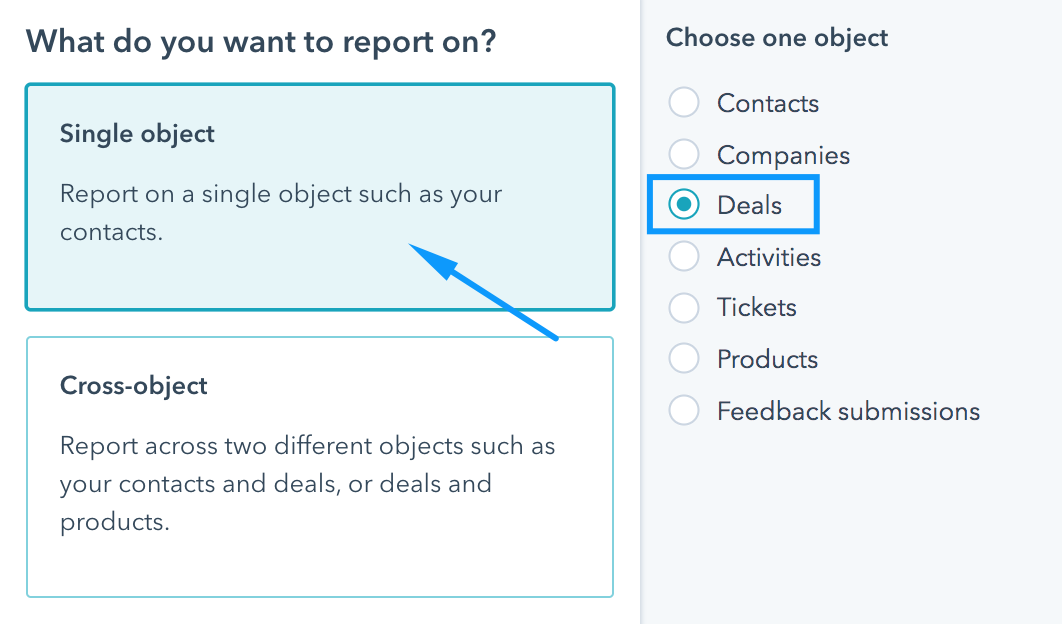
3. Select Single object > Deals
4. In the properties section, you can have any properties that are meaningful for your report, but for this example, we simply need the Deal Name and Amount.
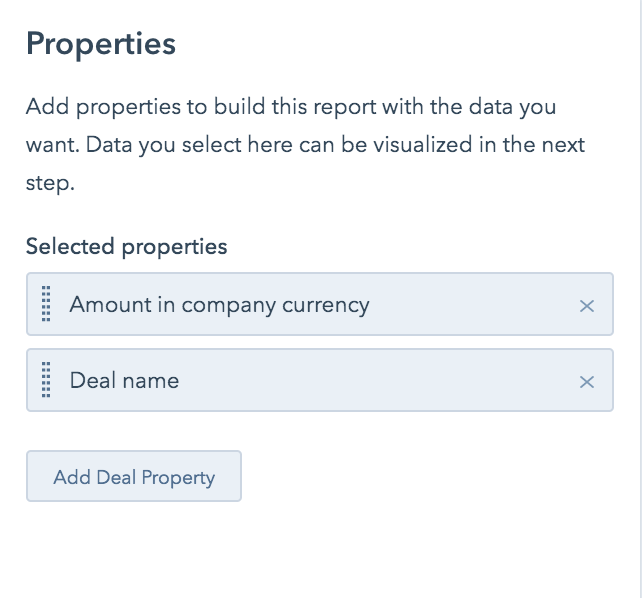
5. Drag those items into display, and give your report a name, now your report is ready to Save.
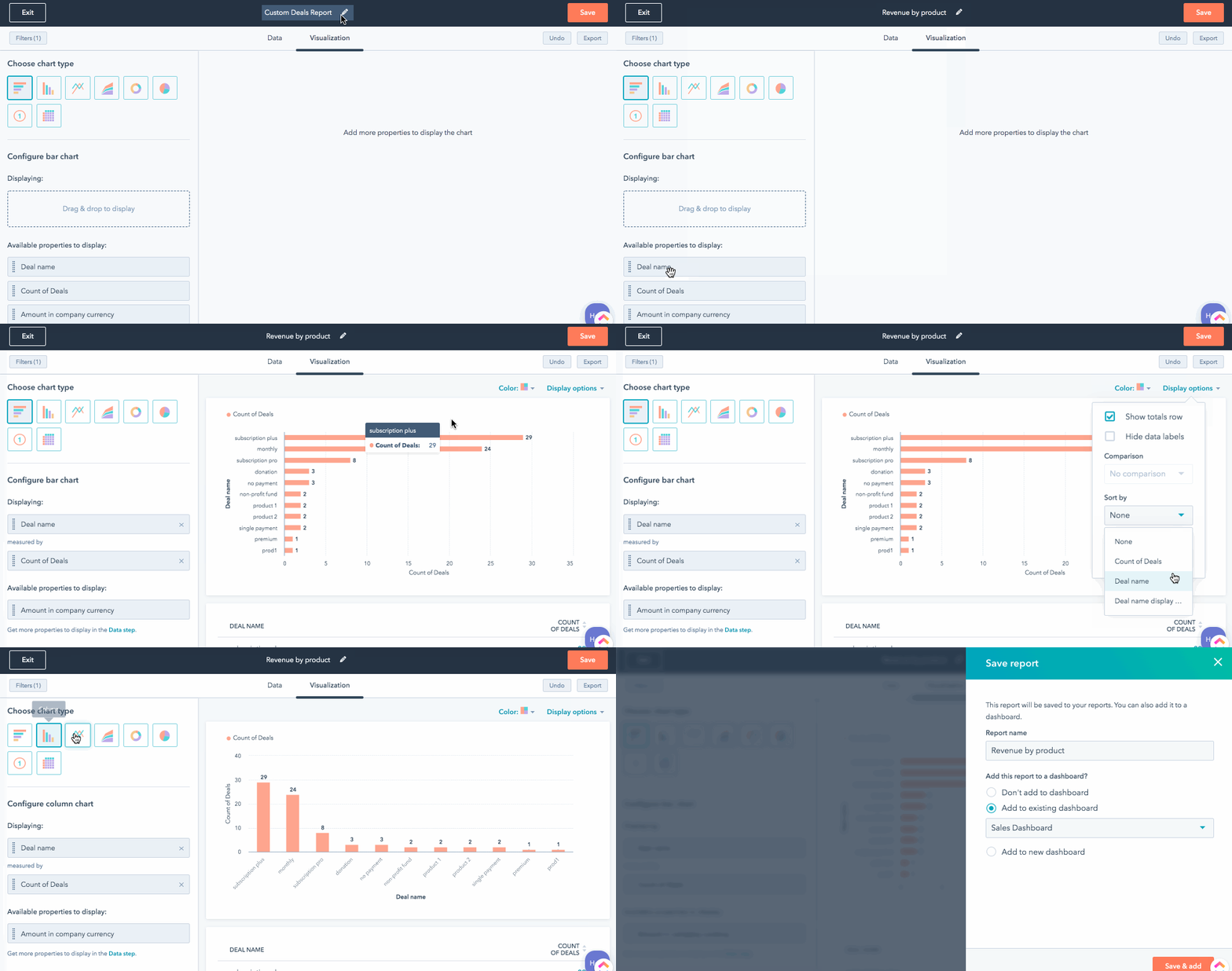
You can filter and sort by date, show different chart types, etc.