Why We Need Specific HubSpot Permissions?
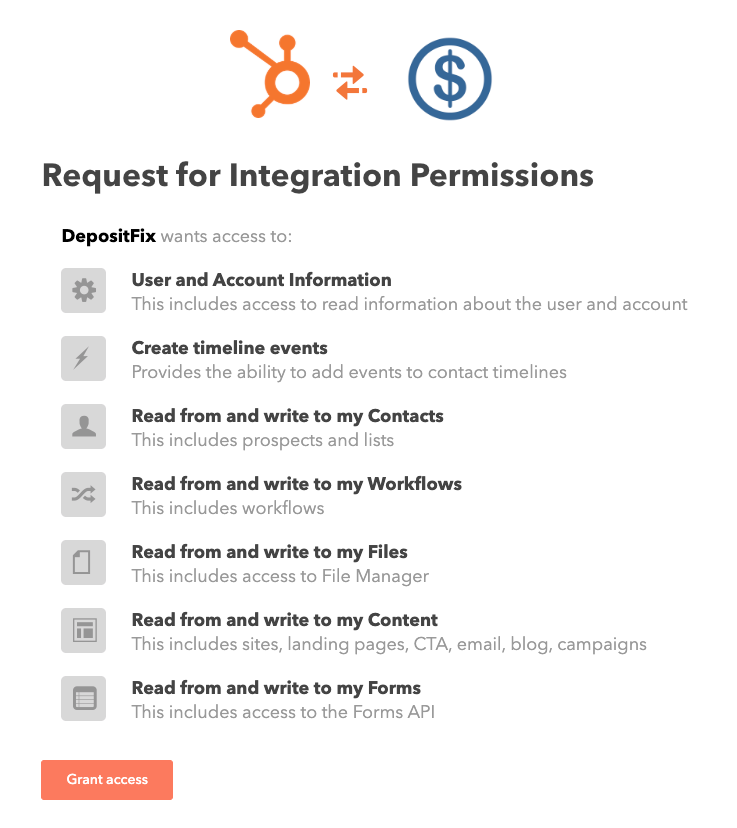
When you connect DepositFix to your HubSpot account, it requests access to a number of items:
-
User and Account Information – We need access to the user information to authenticate your account into DepositFix and allow multiple other users in your HubSpot portal to login to the same DepositFix portal.
-
Create timeline events – After each payment, a timeline is created, that contains all the related payment information (date, amount, product, etc) so you can easily navigate charge history.
-
Read from and write to my Contacts – DepositFix generates and populates many payment-related properties (amount, product, active subscriptions, applied discount codes, etc).
-
Read from and write to my Workflows – DepositFix generates 2 Workflows: for successful and failed payment, that you can use for post-purchase automation.
-
Read from and write to my Files – This is required to correctly submit forms with files.
-
Read from and write to my Content – DepositFix creates a test payment page to test right after registration.
-
Read from and write to my Forms – This is the main part of the integration – generating payment capabilities based on your existing forms.