Multiple Stripe Accounts
Available in Enterprise plan, or a separate add-on to the professional plan
If you’re working with different clients or processing different currency projects, you can easily connect multiple Stripe accounts to your DepositFix account.
To add a Stripe account, Log in to the DepositFix app and go to settings > Stripe > Add new account.
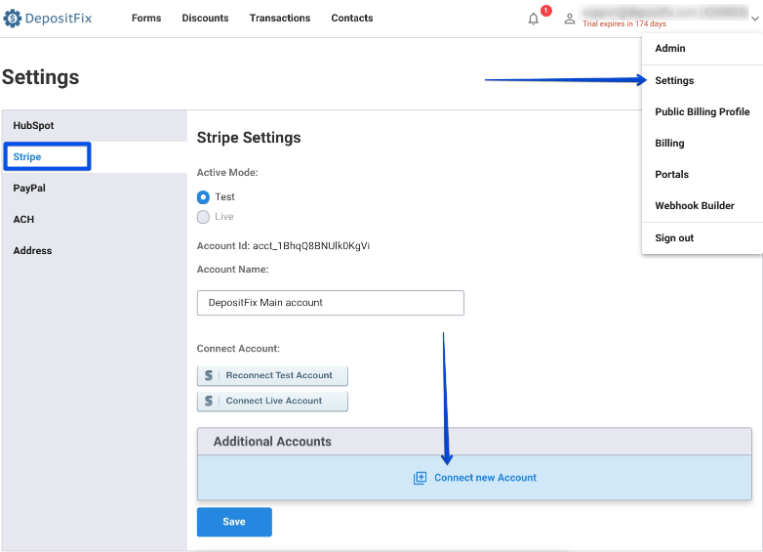
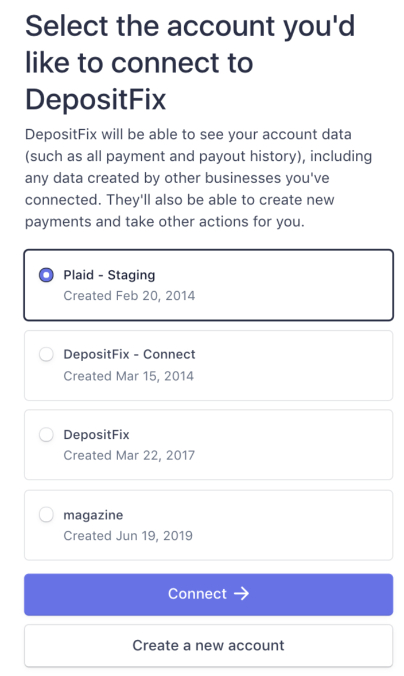
You’ll then be redirected to the Stripe login page, Log in to the Stripe account you would like to add, follow the connection, select the account you’d like to connect, and click Connect.
You will then be redirected back to your DepositFix dashboard, which means you’ve connected an additional Stripe account to your DepositFix account. To verify, you can check the new account under “additional account”.
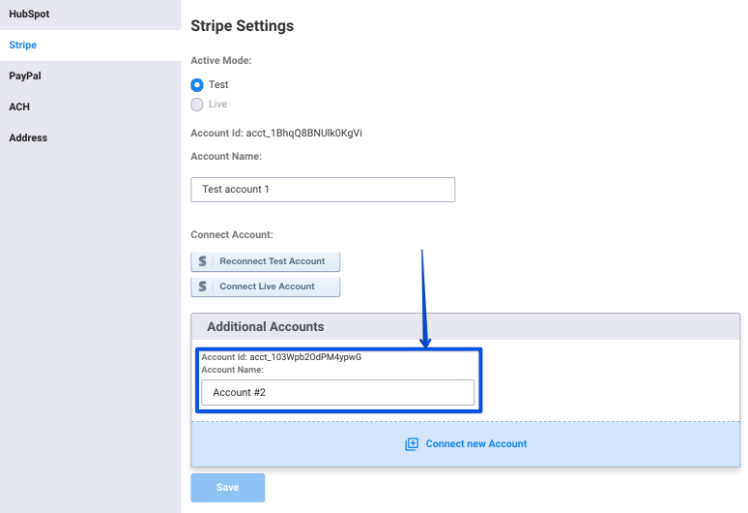
You can also change the account name, so it’s easier to refer to inside your forms.
Adding more than one Stripe account will create a small dropdown with your accounts inside the form builder, so you can switch between accounts and link different forms to different stripe accounts.