Refund Payments
You can partially or fully refund any successful payment directly from DepositFix. Refunds made in DepositFix will use your available the same payment method the payment was made with.
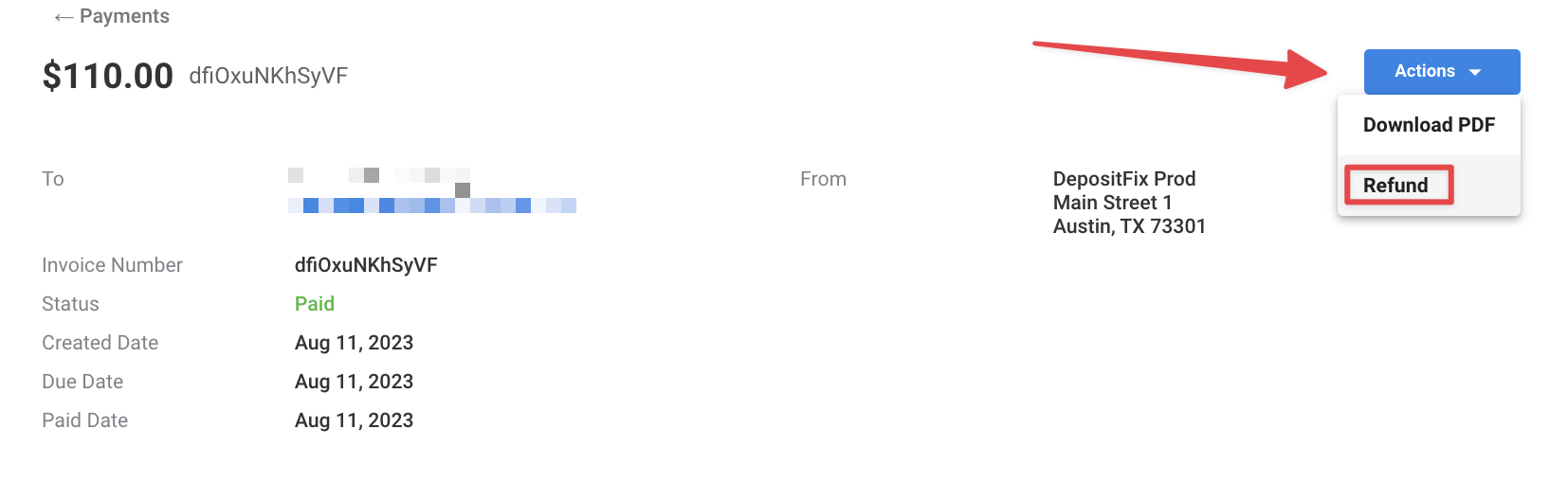
To refund a payment, click on Actions > Refund
Select the refund amount (the full amount by default), refund reason, and an optional note.
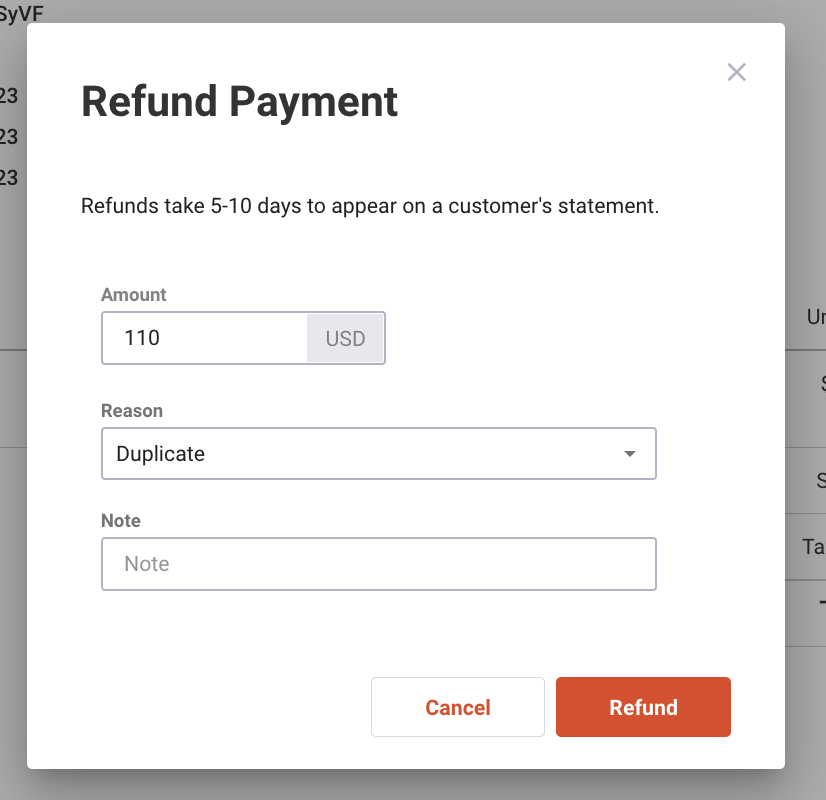
⚠️ The refund amount cannot be more than the full payment amount
Refunds will show up at the bottom of the payment invoice page
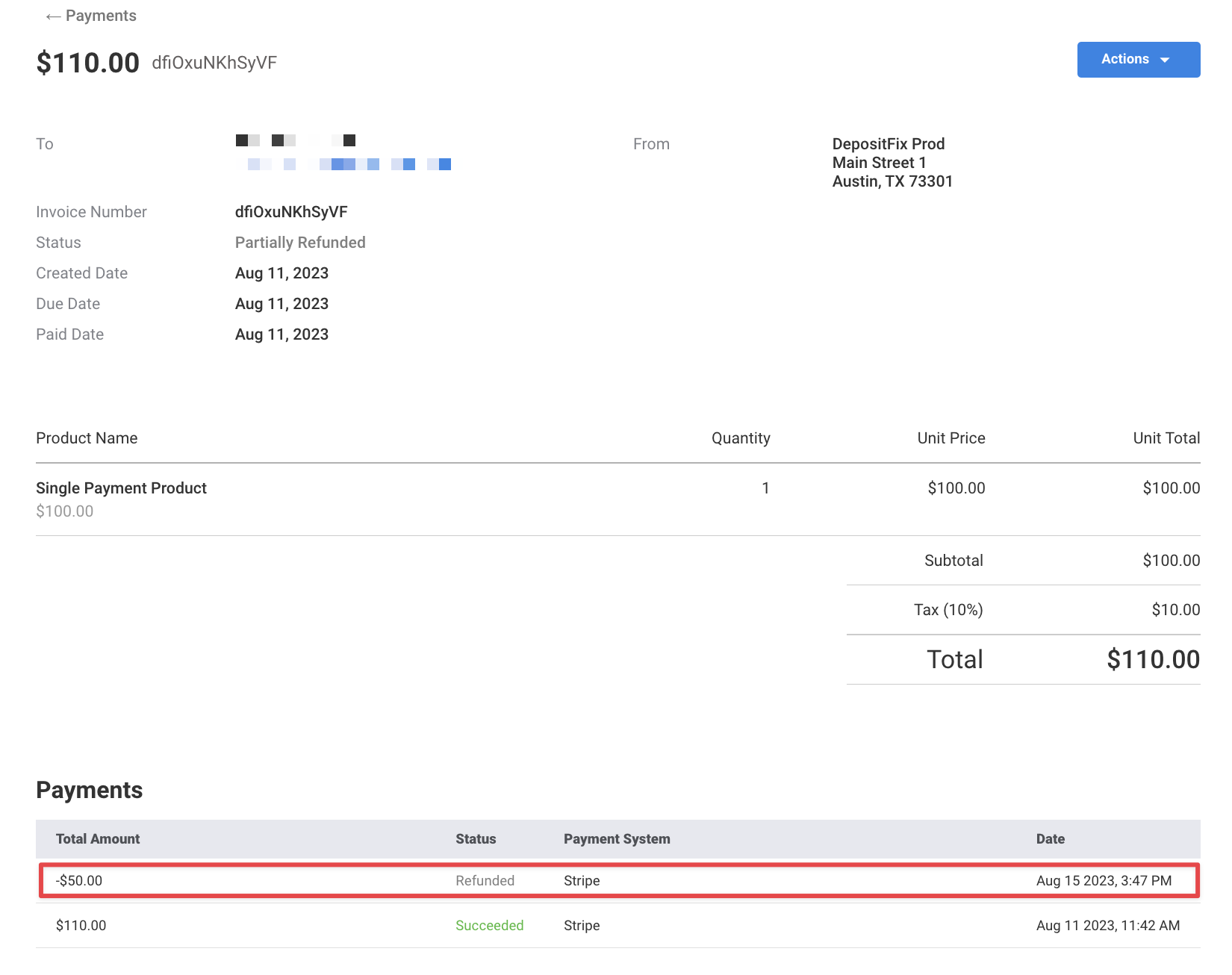
⚠️ With partial refunds, the remaining amount will become the new payment amount which you cannot exceed when issuing a refund.