Disconnect DepositFix from HubSpot
You can disconnect your DepositFix account from HubSpot by using the newly added Disconnect button in your DepositFix account . Follow the steps below to find out how :
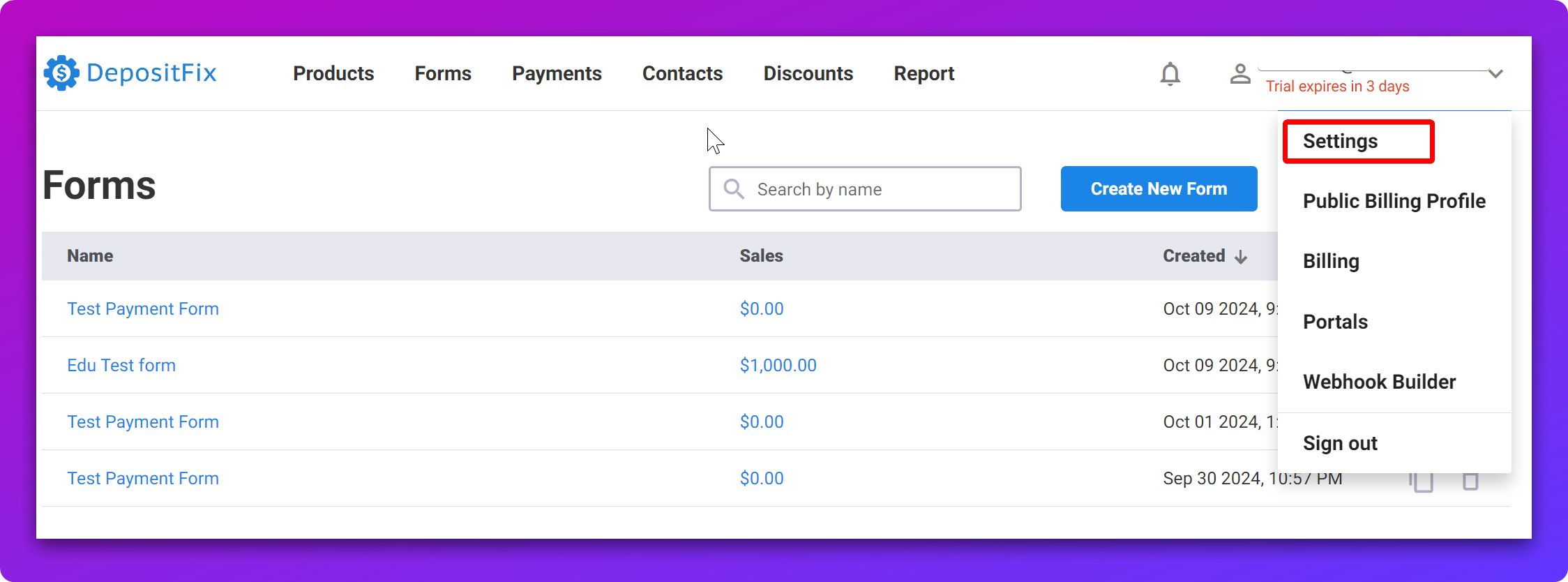
- Login to your DepositFix account and head to the upper right drop down menu > Settings section :
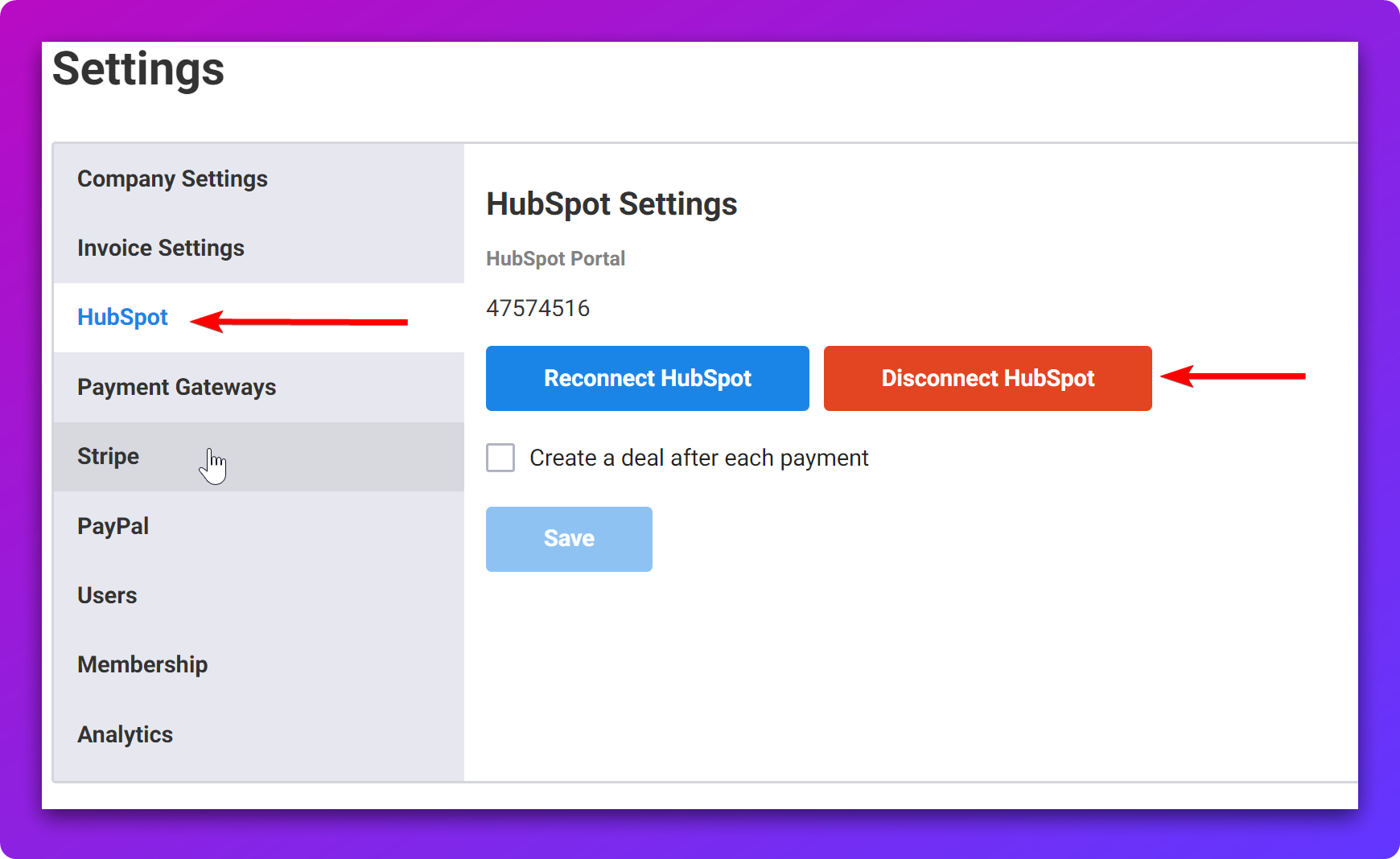
- From the Settings options to the left select HubSpot and click on the red Disconnect HubSpot button :
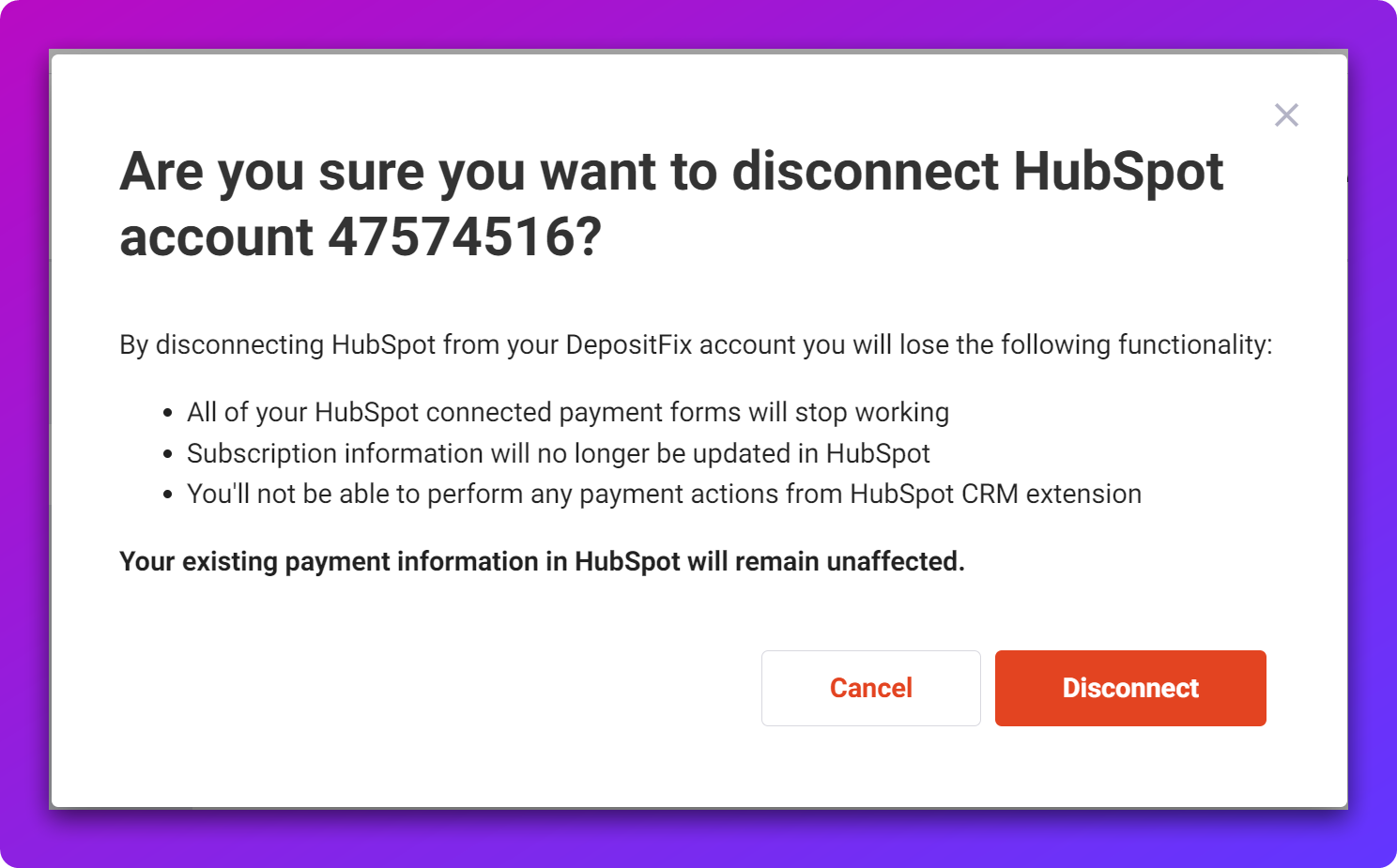
- Click Disconnect on the confirmation prompt. You will see a confirmation message in your screen after the disconnection is completed :