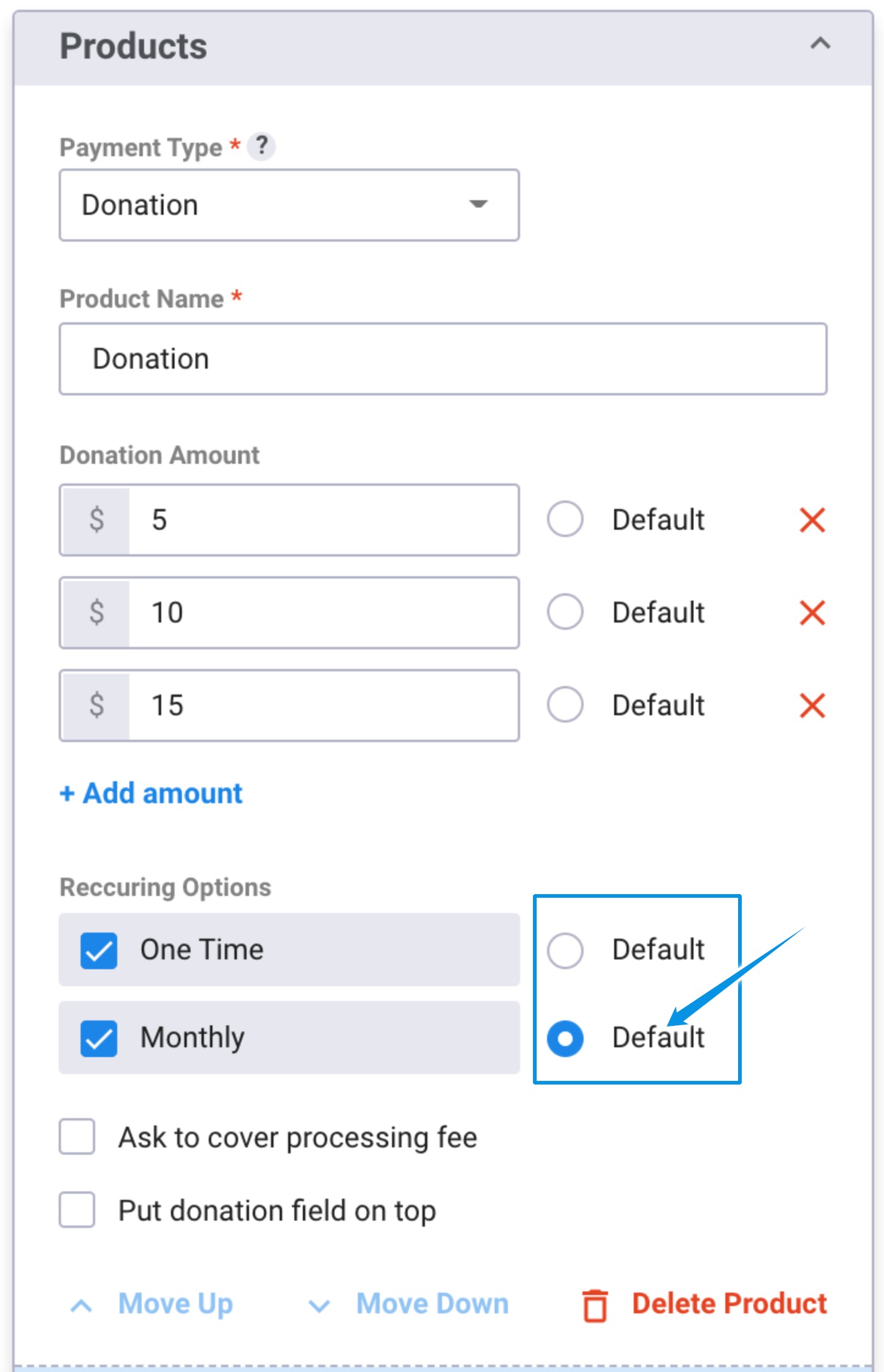
Pre-defined Donation Amounts
Your DepositFix form allows you to add pre-defined donation amounts, when you select “Donation” as the payment type.
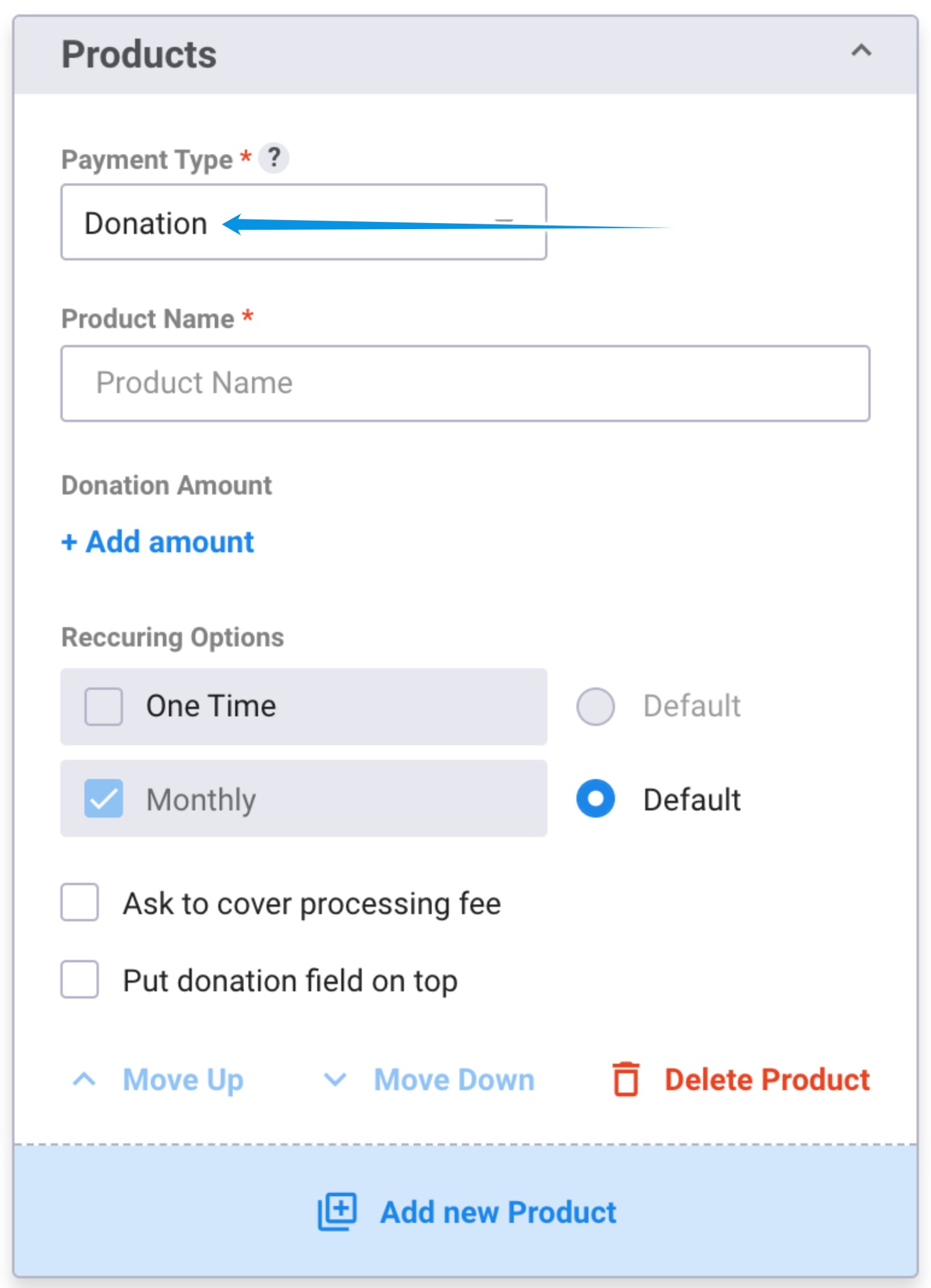
1. When building your form, add a new product and select the payment type as “Donation”
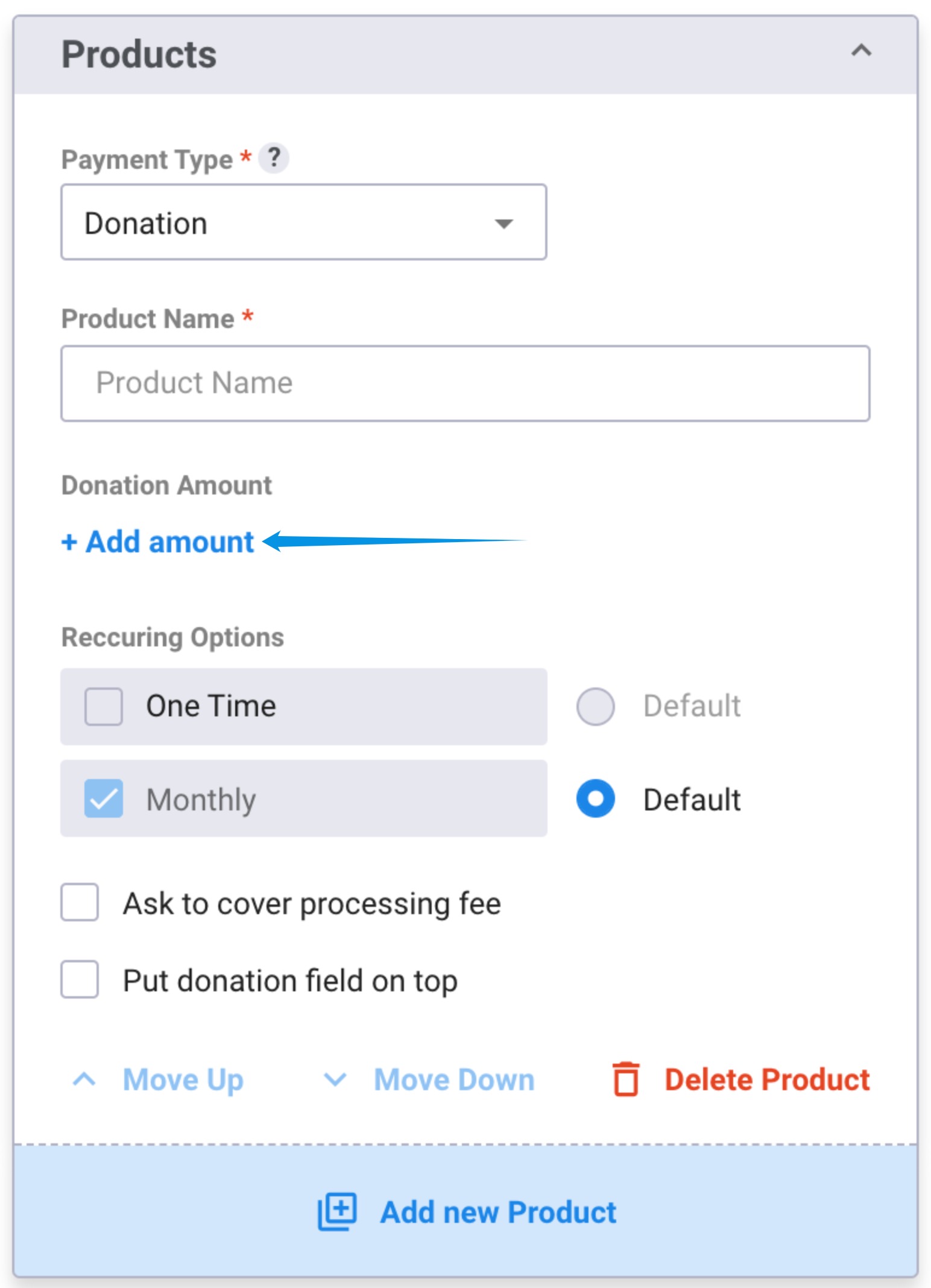
2. Under “Donation Amount” click on ” + Add amount”
By default, donation products will auto-populate 3 fields with 3 pre-defined amounts.
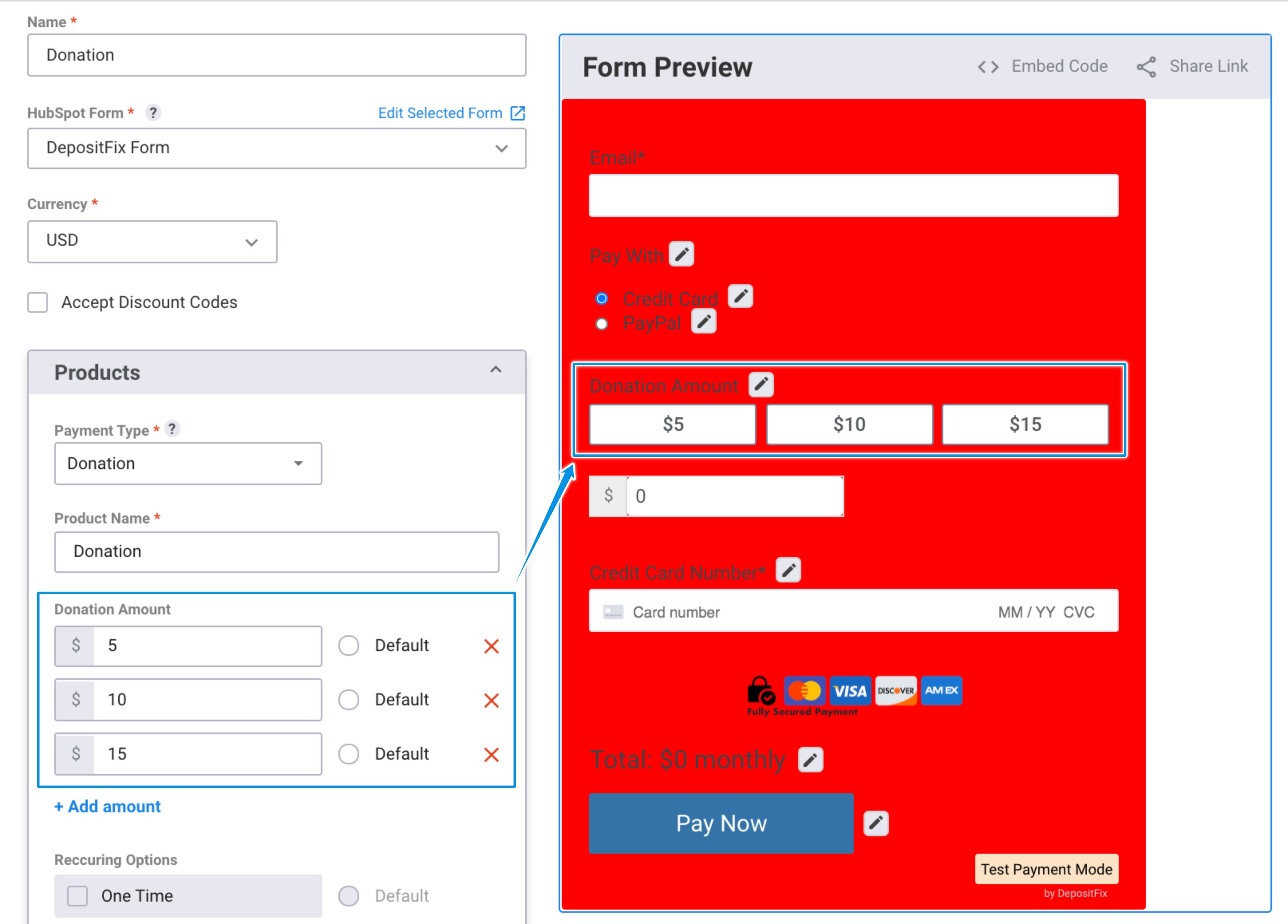
Note: You can edit the existing options, or add up to 6 more options by clicking on the ” + Add amount” button.
You can also select the recurrence of the donation, from the “Recurring Options”:
- “One Time” will add a one time donation to your form.
- “Monthly” will add a monthly recurring donation.
- If you select both, both options will be added to your form, and your customers can select one option.
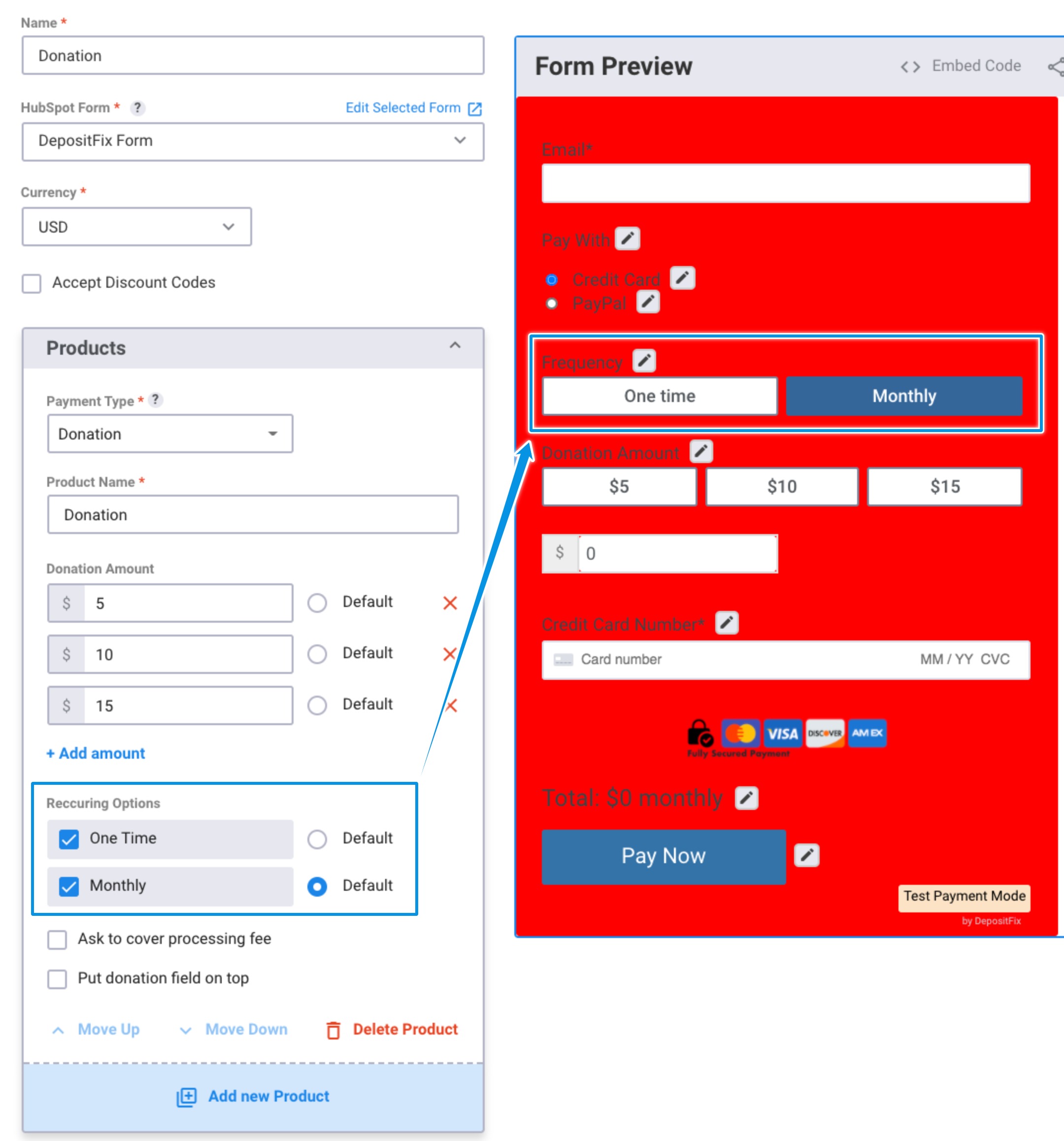
You can also have the default recurring option (i.e one time, or monthly) selected by default when the form loads, making it much easier for you and your customers to process donations.