View Products as Radio Buttons
You can group products of the same type (all single payments, all subscriptions, etc.) together as radio buttons instead of the default dropdown view.
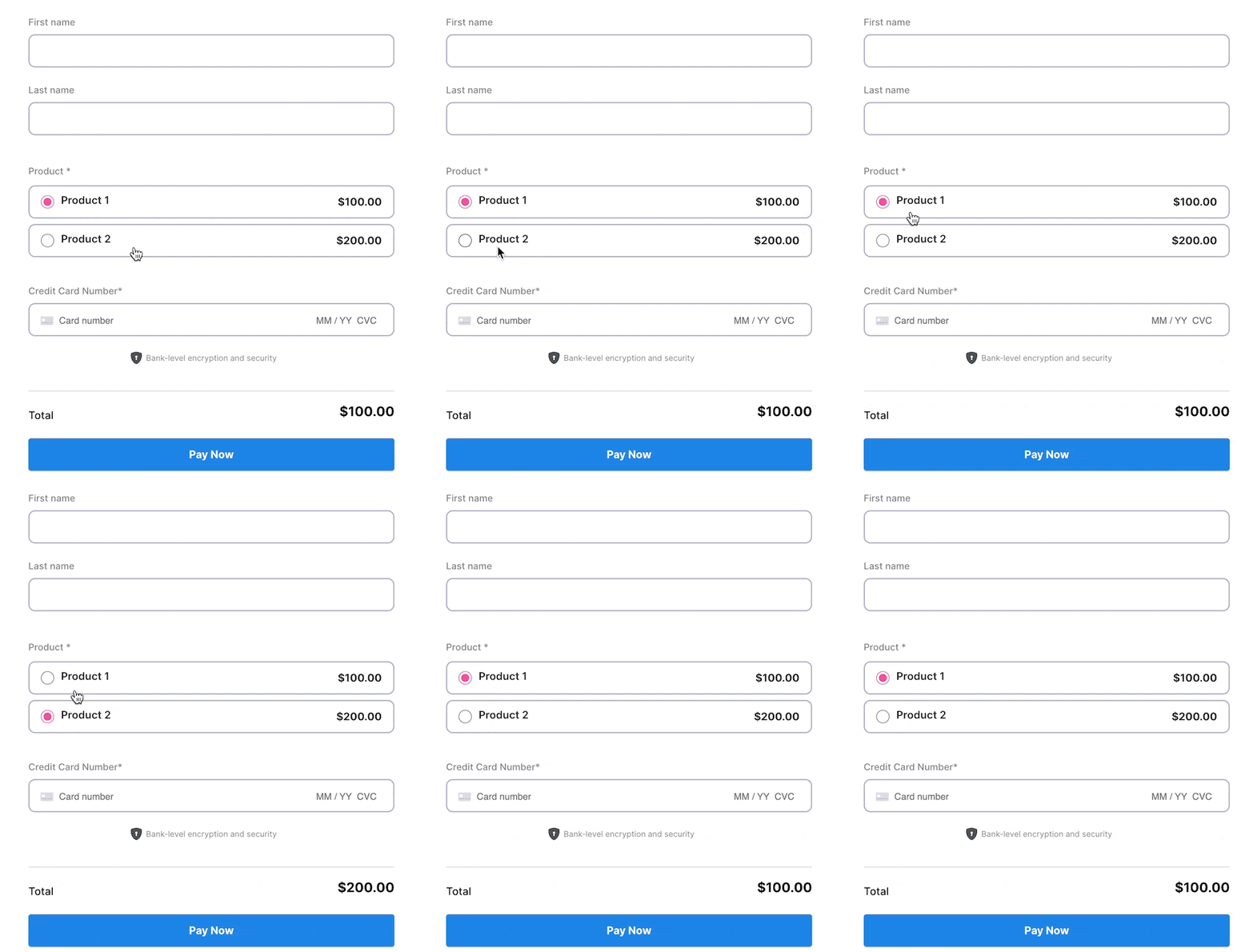
Check the “Display products as radio buttons” checkbox on your form builder to set this up.
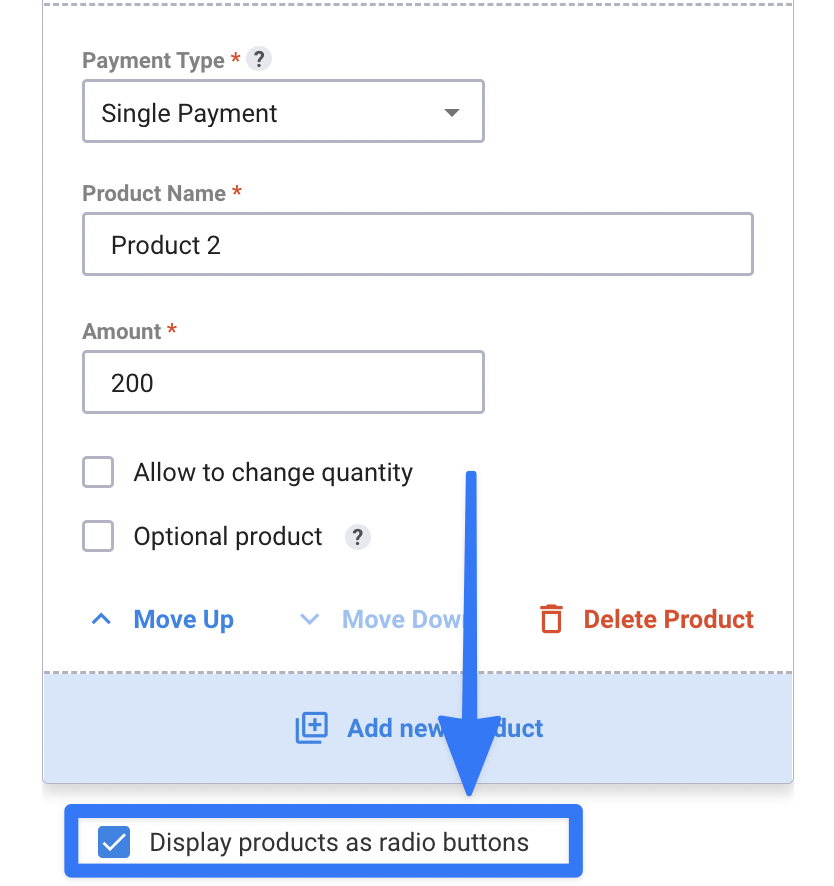
Note: The checkbox will only appear if you have multiple products of the same type; if you have one single payment and one subscription product, it will not appear on your form builder.
You can also group multiple product types (i.e., two single payments and two subscriptions) in the same form.
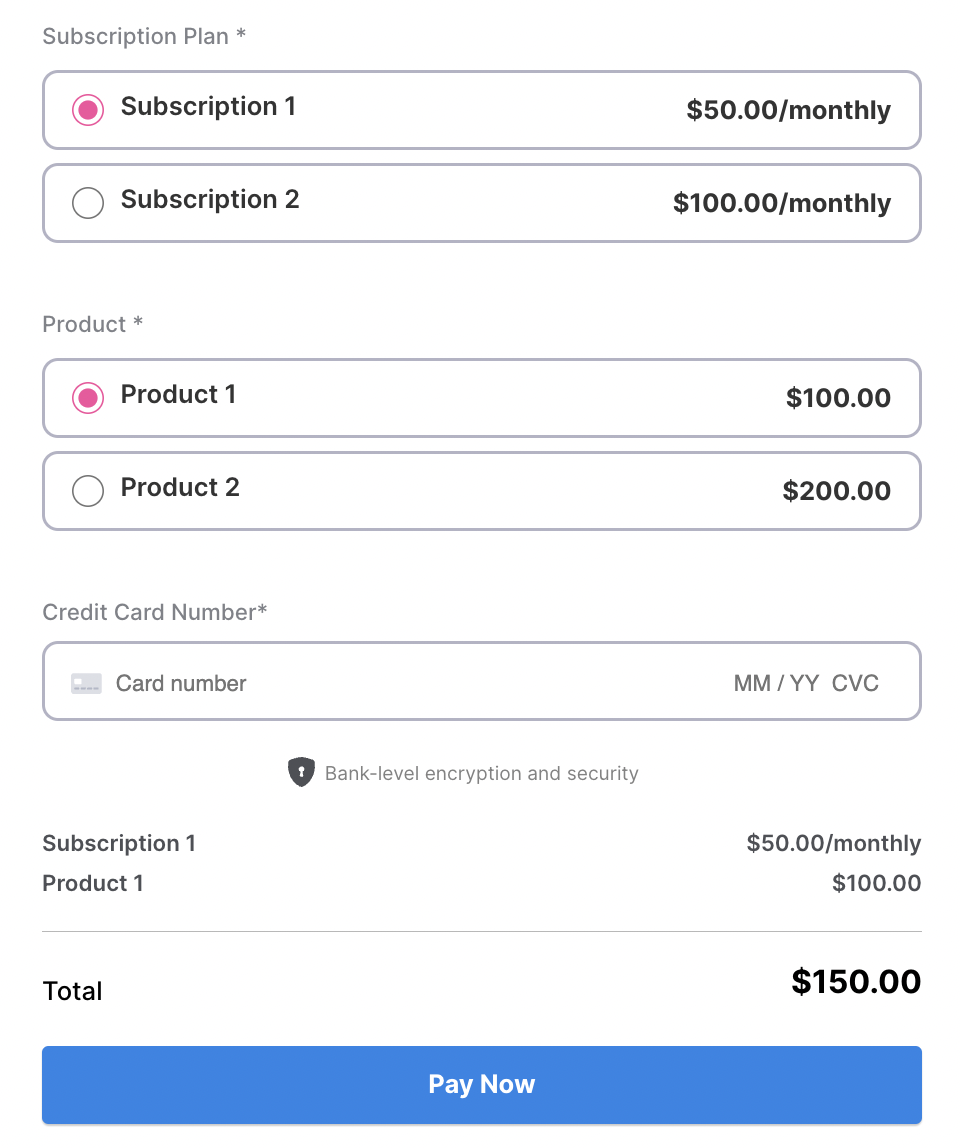
The “Display products as radio buttons” checkbox will group ALL products of the same type on the form. For example, if you have a mix of two single payments and two subscriptions, checking the checkbox will automatically group single payment products and subscription products.