Manage Your Products
-
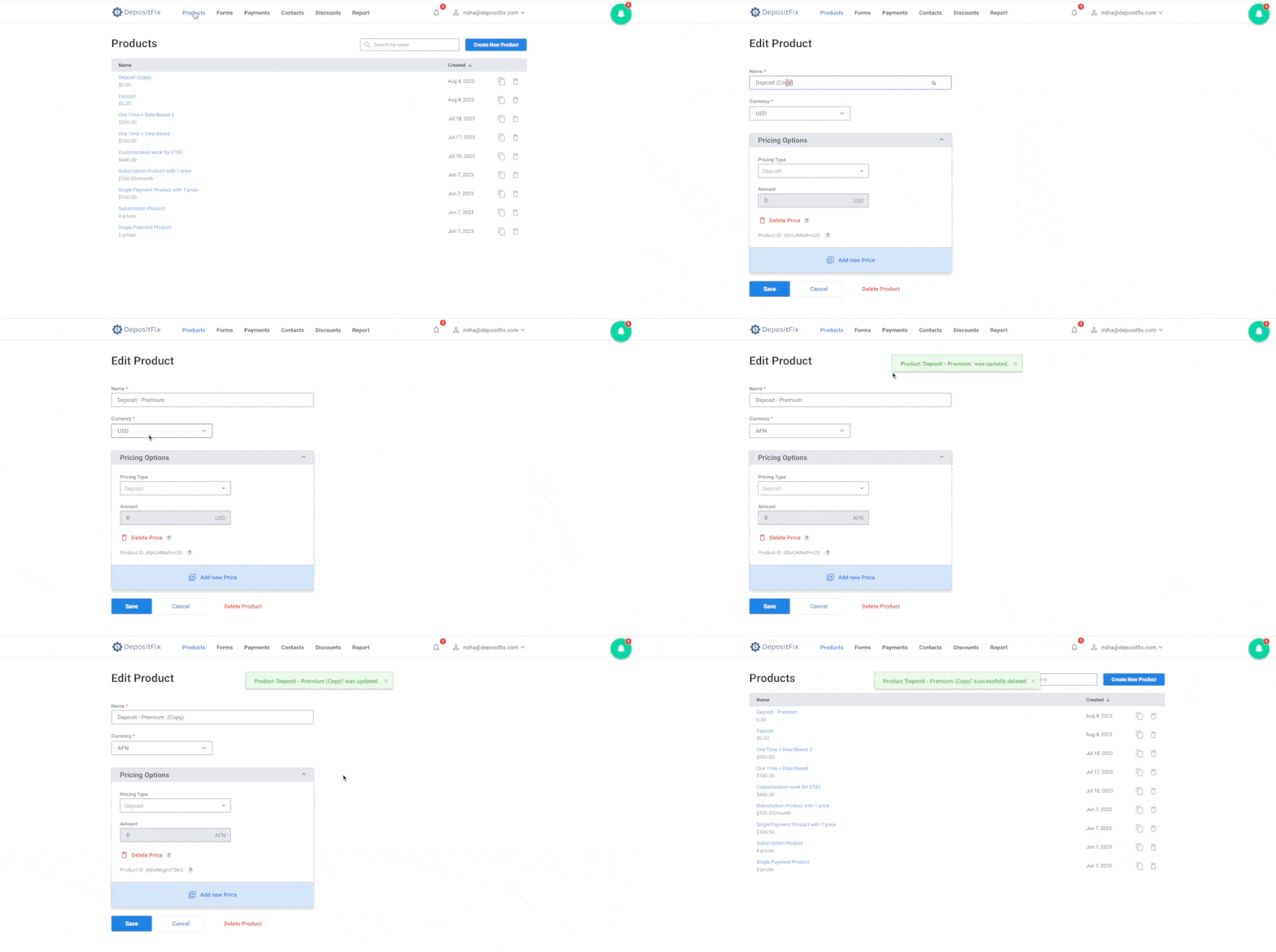
To view your product list, open the
Productstab on the menu bar -
To search for a product, use the search bar in the
productstab -
To clone a product, click on the Clone Icon next to the product
-
To update your product, click on the product to open it, make your updates, and click save.
-
To delete a product, open the product, then select > Delete Product