Embedding your Form on a Squarespace Page
💡 Note: JavaScript and iframe embeds are only supported in the Business plan in SquareSpace; more information on SquareSpace-supported plans here.
- On your SquareSpace page editor , click on the + Add Block button to add content > Code > Edit

- This will open up a small block of code, where we will add our DepositFix code.
However, for it to work in Squarespace, we need to wrap this embed code with HTML tags:
<!DOCTYPE html>
<html>
<head>
</head>
<body>
----Your embed code here-----
</body>
</html>
So we just need to replace “----Your embed code here-----” in the snippet above with the actual embed code from DepositFix form builder, so it would look like the following:
<!DOCTYPE html>
<html>
<head>
</head>
<body>
<script src="https://widgets.depositfix.com/v1/app.min.js"></script>
<script type="text/javascript" id="df-script">    DepositFixForm.init({        formId: 'dffeb7bf-7a5c-46d5-93b2-a60151e0d2a2',        portalId: '4269803'    });
</script>
</body>
</html>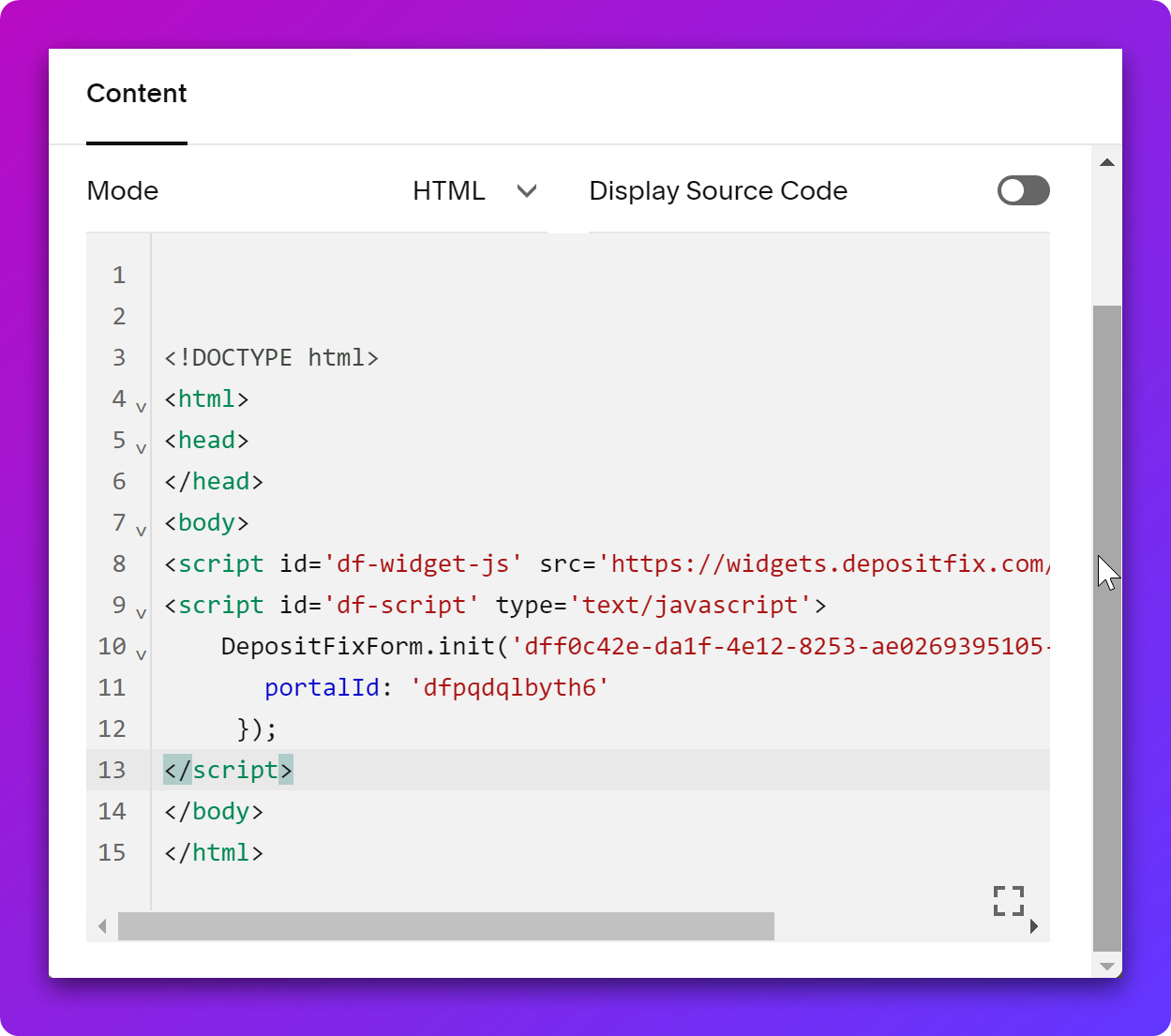
Simply add the code and click Apply, and your DepositFix form will be embedded in your SquareSpace page.
📌 Important: When embedding code in SquareSpace, ensure the
Display Sourcecheckbox is unchecked.